
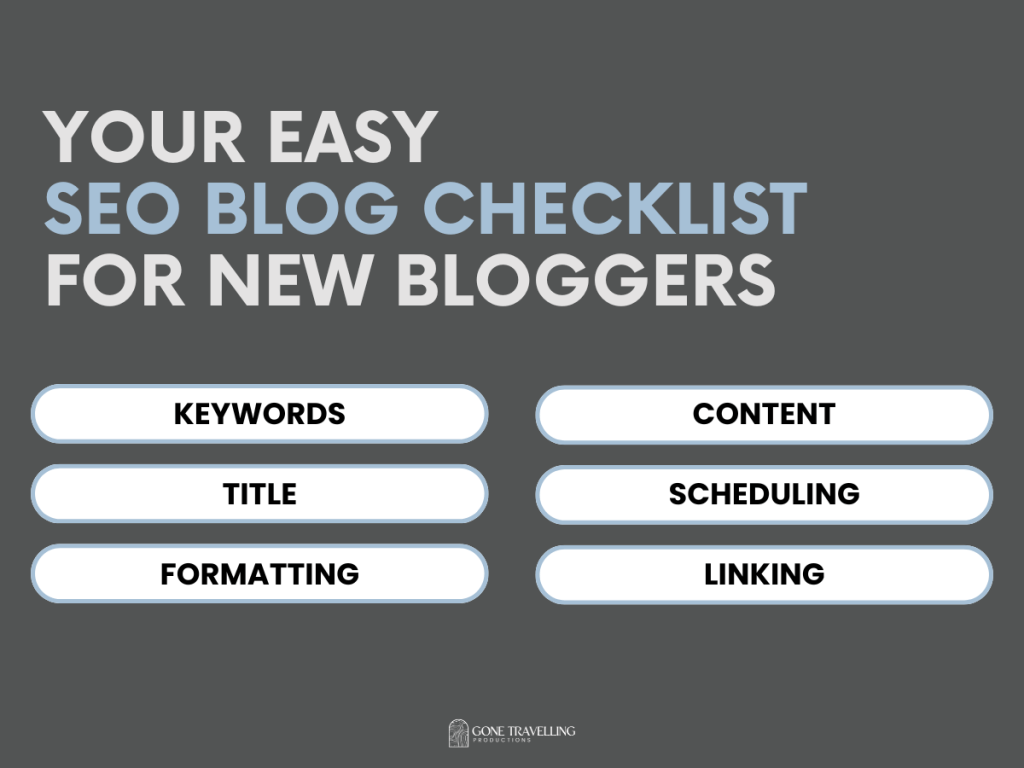
It’s taken me over 50 blog posts and 4 months of consistent posting to create this comprehensive SEO Blog Checklist for both beginner blogs and experienced bloggers.
This post will break down the elements of blog post SEO that you need to know to understand and use the ultimate SEO Checklist for every blog post you write moving forward.
This post will cover:
- Keywords Simplified
- An SEO Blog Post Title
- SEO Formatting
- Content is King
- Scheduling for Success
- Blog Link Strategy
- The Ultimate SEO Blog Post Checklist
Already an expert? Skip to the SEO Blog Checklist and get to writing!
Keywords Simplified
By now, I’m sure you’ve heard of keywords and that they are vital to SEO success…but why? A keyword is the word or phrase that potential readers are going to use to find your post. Think of it as the search term they might type into Google or look for when scrolling social media.
Let’s look at this post as an example. There are ‘broad’ keywords like ‘SEO’ and ‘Blog Post’ which can be used to tell search engines the category your content will fall under, but these are not quite specific enough. There are hundreds of thousands of webpages and online content with the word ‘SEO’ making it almost impossible for my blog post to stand out – this is known as the Keyword Difficulty.
The goal is to find a keyword with a high traffic potential, but low keyword difficulty to give your post the best chance of ranking highly with search engines and reaching the right readers interested in your content.
What is a Long-Tail Keyword?
A long-tail keyword is an incredibly specific search term that contains at least 3 words to reflect what a potential audience may be looking for, for instance, ‘SEO blog post checklist’.
What is a Head Term?
A head term is 1-2 words that encompass the blog post’s greater topic like ‘Freelance Writing’, ‘Remote Work’, or ‘Personal Development’. The head term might also involve your blog’s greater niche or topic cluster.
How to Choose Your Keywords
Finding a perfect keyword can be the difference between your blog post getting thousands of clicks or none at all. Luckily, there are plenty of free online SEO tools to streamline the keyword selection process. Try using these:
- Google Ads Keyword Planner: Research keywords based on broad average monthly searches and competition.
- Ubersuggest: Explore new keyword ideas related to your blog post subject.
- Ahrefs Keyword Difficulty Checker: Look up the difficulty rating to discover if you can realistically rank highly with a certain keyword.
- SEMRUSH Keyword Research: Use the free daily searches to get a more accurate traffic potential for each keyword.
An SEO Blog Post Title
Your blog post title is the first thing a potential reader will see when scanning a search engine’s results page. This makes it one of the most important marketing elements of your post. A great title will attract more clicks from search results, signalling value to search engines and improving your SEO.
Beyond this, a title also directly tells a search engine what your post is about. This means the post is more likely to appear in related searches. A lot of research has been put into creating the ‘perfect’ blog title leading to the following ‘best practices’ for ultimate blog title SEO.
SEO Blog Title Best Practices
- Keep it between 8-12 words
- 60 Characters or under (Google only shows 60 characters for each search result meaning longer titles will get cut short)
- Include your long-tail keyword
- Start with your Head Term
SEO Formatting
Staying technical, don’t overlook how you format the content of your blog post on the page. Remember that search engines use bots and algorithms to scan each blog post, not real people. As a result, you want to make the information as easy as possible for the search engines to gather and understand.
Good SEO formatting also improves readability and user experience making it more likely for readers to stay on your site and keep reading which is (surprise surprise) great for SEO!
Headings and Sub-Headings
Headings and sub-headings play a huge role in SEO by visually organising your post’s content. They help search engines understand the structure and hierarchy of your blog post, and by incorporating relevant keywords, headings can improve your content’s relevance and visibility in search results.
Well-structured headings also help readers quickly find the information they need on the page, reducing bounce rates and increasing time spent on your page.
Text
The text itself can be formatted specifically with SEO and readability in mind. Try following these tips to improve your post’s SEO through text formatting:
- Bold one sentence out of every two to three paragraphs
- Keep paragraphs short, no more than three sentences
- Break up content with bullet points where possible
- Check how your post looks on mobile!
Content is King
When it comes to SEO, the quality of your blog post’s content will always matter most.
High-quality, relevant content not only engages your audience but also tells search engines that your site is valuable. By creating well-researched, original posts that address the needs and interests of your readers, you increase the chances of ranking higher in search results.
Consistently publishing fresh, informative content with targeted keywords naturally integrated can boost your SEO efforts, drive organic traffic, and establish your site as a go-to resource in your niche.
In other words, don’t get lazy! This SEO Blog Post Checklist is a great way to optimise your content, not create it. There’s a reason AI-written blog posts using good SEO practices aren’t ranking highly with search engines.
What Do Search Engines Look For?
To evaluate if a blog post is relevant, high-quality, and worth ranking, search engines consider multiple factors:
- Length. Your blog post should be at least 800 words, with many researchers suggesting 2100 words to be the ideal blog post length.
- Originality. Search engines do not like recycled content, especially if it’s plagiarised from another site. Don’t copy and paste information, instead try and find a fresh way to share it.
- Relevance. It’s great to find that perfect high-traffic, low-difficulty keyword, but if your post is not directly related to it then it’s useless. Search engines want to see you organically using keywords in your posts, not simply throwing them in with the hope of high ranking.
Calls To Action
A call to action, or CTA, is a great tool for getting a reader to interact with your blog post – telling search engines that your site is helpful and interesting. Try to end each post with some form of CTA for example a question to answer in the comments below, inviting a reader to sign up to your email list, or including links to other relevant blog posts.
Scheduling for Success
Hopefully, by this point, you’ve finished writing the perfect SEO blog post using the steps above, but there’s still time for a few additional SEO sprinkles.
URL
A clean, descriptive URL helps search engines understand the content of your page and boosts your ranking potential. Include your long-tail keyword and keep your URLs short and readable.
Avoid using numbers or dates in case you want to update the article later and the URL no longer applies, e.g. changing the ‘Five Best SEO Practices’ to ‘10 Top SEO Tips’ or republishing an old post a few years later.
Meta Data
Metadata is the hidden information given to search engines about your page’s content. The metadata can be found and edited through your page’s code, or using a plugin like Yoast SEO for WordPress. You can also edit metadata in the images used in your post by changing the image name, description, and alt information.
Keep your meta descriptions between 150 and 160 characters, and include your long-tail keyword.
Blog Link Strategy
Link strategy refers to the use of internal and external links to improve SEO. Search engines crawl your pages and inspect each page link, both internal and external, and when used to your advantage can help a search engine determine the quality of your post.
When creating links, use descriptive anchor text that includes relevant keywords to tell the search engines what the linked page is about.
Interlinking and External Linking
Internal links help search engines understand the structure of your site and distribute page authority, guiding visitors to related content. If a reader is enjoying one of your posts, don’t waste the opportunity to send them to another related blog post that they might find useful!
External links to reputable sources can boost your site’s credibility and offer additional value to your readers. It’s always great to link to .gov or .edu sites when directly relevant to the blog post.
What is a Pillar Post?
A Pillar Post is a centralised blog post for one topic cluster. For example, you can see my post The Professional Development Plan, this post covers the blog topic ‘Personal Development’ with all related posts being linked to and linking back to the pillar post.
Pillar posts are useful to SEO as they help search engines navigate your blog and understand better the subjects you provide information and knowledge about.
The Ultimate SEO Blog Post Checklist
- Keywords
- Choose one long-tail keyword
- Choose two sub-keywords
- Title
- Start your title with a Head Term or Long-Tail Keyword
- Make your title between 8 and 12 words and under 160 characters
- Formatting
- Only have one H1 heading
- Break the post into H2 headings
- Use H3 headings for more detail
- Content
- Write between 1200 and 3000 words of content
- Include a Call To Action at the end of the post
- Scheduling
- Keep the URL concise
- Add keywords to metadata
- Keep metadata between 150 and 160 characters
- SEO Practices
- Include 2-3 links to other posts on your blog
- Externally link to a reputable site (if relevant)
- Link to and from your Pillar Post
Simple right? All that’s left is to get writing.
Above all else, keep in mind the golden rule that Content is King. Your blog is nothing without well-written, informative, and actually interesting content. Don’t worry, you can find all sorts of useful writing resources right here on Gone Travelling Productions:
Expert Tips to Build Your Writing Confidence
Essential Writing Exercises to Access Your Creative Flow
How to Start Blogging in One Month
To get more writing tips, why not input your email address below to receive all new posts straight to your inbox?
Like this? Read Related Posts:

4 Realistic Freelance Writer Side Hustles to Start in 2026
Before I started as a content writer, the idea of it was a little bit overwhelming. I didn’t have any published work, I had no idea how to start making money writing, and I didn’t know which freelance writer side hustles were legitimate…and which would just be a total waste of time. Luckily for you,…

How to Start a Blog in 2026 (for free): A Step-by-Step Guide
Get the full guide and learn not just why it’s worth starting a blog in 2026, but exactly how to do it…
10 Work From Home Productivity Tools to Help You Focus (even from the couch)
The 10 best gadgets, software, and tools that I use daily to stay productive when working from home.


 Gone Travelling Productions
Leave a comment