

Note: This post contains affiliate links which I may earn a small commission from, at no extra cost to you.
After 3.5 years working from home full-time, I think I’ve just about got my productivity setup down. It’s a mix of physical and digital tools which help me to get in the work zone (even when I really, really don’t want to), and to keep myself on track whether I’m working at my desk, a cafe…or the sofa.
In this guide, I’m sharing those 10 work from home productivity tools to hopefully help you find your focus the way they have for me. Of course, it does take some trial and error to figure out your perfect setup, so I’ve also tried to add some affordable/free options so you don’t have to break the bank just to hit a deadline.
- Physical Tools and Gadgets
- Digital Productivity Tools
- Can you really be productive working from home?
Physical Tools and Gadgets

The Double Notebook Technique
This was something I picked up from my very first “big girl job”. I keep two notebooks on me at all times (although now they’re digital notebooks on my iPad, but the concept is exactly the same). One is an ongoing to-do list, the other is for notes. It sounds simple (because it is simple), but please trust me when I say, without these two notebooks, I get nothing done.
Every single day, I start by checking my to-do list. By keeping my notes in a separate place, there is no flicking through pages to find my tasks. I can see them immediately. And, to add another level, I also add a colour-coded due date, which works as a visual prioritiser.
I use the Good Notes app for my digital notebooks, however, if you don’t have a tablet (or just prefer paper), then I highly recommend investing in two nice quality notebooks and maybe even more importantly, a lovely pen to write with. Trust me, it will make a difference to your productivity.

Walking Pad
I got my Kingsmith walking pad well over a year ago and…I haven’t shut up about it since. It is, without a doubt, my top work from home productivity tool. Why? Because as soon as I’m walking, I’m locked into my work. I don’t know exactly why, maybe because I can’t just wander off, or possibly as the rhythmic steps just click my brain into a focused mindset? Regardless, it works!
An extra perk is that I like to walk for rounded periods of time. It’s a minimum of 30 minutes, then an hour, then 90 minutes, etc, etc. In almost every walking session, I’ll have the urge to stop because I’m bored or feel like sitting down, but the need to hit that rounded time goal pushes me to lock back into working for another 5, 10, 25 minutes. And all that extra time adds up.
Of course, there’s also the added bonus that it helps me to get my steps in without having to stop working and go for a walk. Now, I still think finding the time to go outside is super important when working from home, but for those super busy days where you just can’t do it all, the walking pad helps a lot.

Noise-Cancelling Headphones or Earbuds
I genuinely have no idea how people work without these. Even if I’m working alone at home, when I’m really struggling to focus, I use my AirPods. By blocking out as much noise as possible, I’m also blocking out the distractions, which obviously adds to my productivity.
As a freelance writer, I also like to work from cafes a lot, too, which I simply couldn’t do without noise-cancelling headphones. It’s an essential for locking in and getting work done, or for when I have to take meetings on the go.
I also want to point out that noise-cancelling headphones don’t have to cost hundreds and hundreds of dollars anymore, e.g., you can get pretty decent noise-cancelling earbuds like the Soundcore P30i by Anker for under $40. Speaking of earbuds, I’ve also had (and adore) my Loop earplugs for almost four years now, which block all the noise whilst being super comfy.

Dock Station
This is one of those multi-useful tools. One, it charges all your gadgets at once, and who doesn’t love that? But two, it keeps your phone out of your hands! This perk is super underrated. Have you ever noticed how often you’ll be scrolling on your phone without even knowing when you picked it up? Yeah, me too.
But, when I have my phone charging on the dock station, it adds an extra step between me and the doom scrolling. I do like models where you can easily see the phone screen when it’s charging, just to keep an eye on any work notifications (again, without picking the phone up). Although if you can go without your phone altogether, then honestly, that’s what I’d recommend. Put the dock station out of your eyesight and let your mind forget that your phone even exists.
SAD Lamp
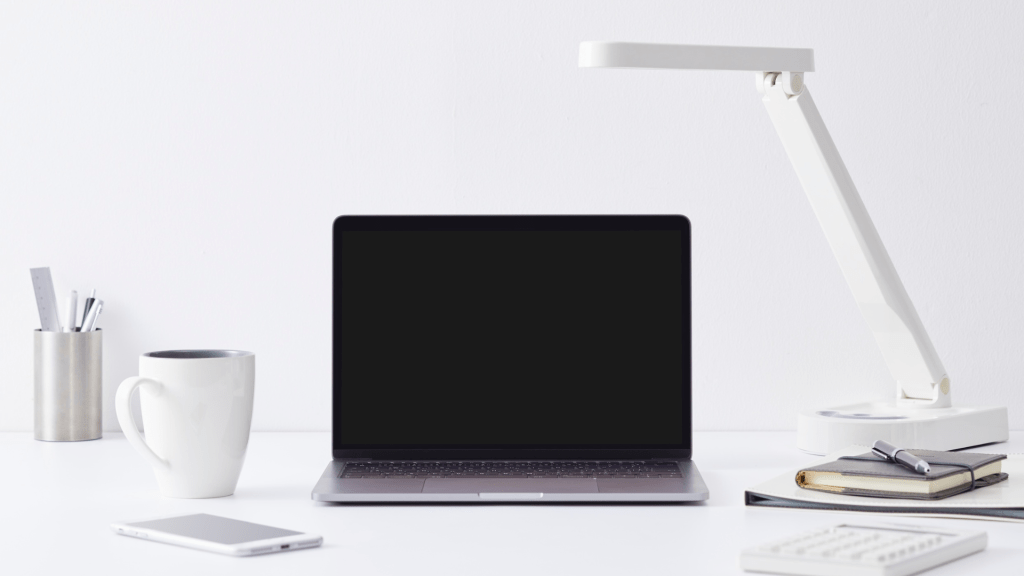
Okay, another really useful work-from-home tool for more than just productivity. I originally bought my ring lamp to elevate my remote meeting setup, but then it arrived and I realised it had an SAD setting. If you didn’t know, this is when a lamp mimics natural light to help people dealing with seasonal affective disorder.
Now, obviously, if you get SAD, then you should probably look into a SAD lamp regardless. However, as someone who doesn’t really suffer from the condition, I have found that using the lamp after the sun goes down (which is currently 4pm where I am) or on super cloudy days, it really boosts my productivity.
I think this might be because otherwise my brain seems to think it’s time to start getting ready for bed otherwise…or because those cosy winter vibes make me just want to curl up with a cup of tea and a good book. Either way, the lack of daylight is not great for my focus, hence why I love using the SAD lamp.
Read More:
18 Gadgets for Writers to Upgrade Your Remote Writing Setup
The best writing gadgets and gifts for writers that covers home offices, working on-the-go, and freelancing.
Digital Productivity Tools

Notion
I’ve talked a lot about Notion and even written a dedicated Notion review, but the long and the short of it is, I love the software. I use it for pretty much everything, but especially task tracking and all of my writing first drafts.
The reason I think it keeps me so productive is that the UX is really simple. There are minimal distractions, and I have my workspace set up exactly how I need it. I also appreciate all the shortcuts that let me write and format without having to break my flow of typing.
Again, this is a simple concept, but having software that works for you is just key. Notion works amazingly for me, but there might be a different writing platform that you prefer. What’s important is that you can open up the software and immediately slip into working without any extra thought or steps.
Read More:

How I Use Notion as a Freelance Writer: A Beginner’s Guide
Guide to using notion for writing and how to set up a notion workspace for beginners.

ClickUp
ClickUp is my personal choice when it comes to project management software, and I’ll be honest, it’s for one very basic reason: the free calendar view. On the basic plan (which costs nothing), you can visually see all of your deadlines with unlimited tasks and up to 60MB of space.
I’m a really visual person when it comes to planning, so this is huge for me. As a freelancer, I always have multiple projects on the go, so anything that lets me see them all at once clearly in front of me is magic.
Freedom.to
Freedom is a simple, no-cost tool that helps you shut out the digital noise that competes for your attention. Essentially, it blocks any websites you shouldn’t be using during the day and automatically unblocks them outside of your work hours. You can customise which websites to block and create time-specific sessions that keep those distractions off-limits.
Do I wish I had the self-control to not need this productivity tool? Yes. But this is where I’m at for now, and it works for me. I also use the app blocker on my iPhone to only let me on certain apps for a few hours a day, and I just deleted all the social media apps altogether. Sometimes getting rid of things is just as good for productivity as adding tools is.

FocusPomo – Pomodoro Timer
You’ve probably come across the Pomodoro Technique before, but in case you haven’t, it’s a productivity technique where you work for 25 minutes, take a 5-minute break, then repeat the process four more times. Again, I don’t know why this works, I just know that it does. There’s something to be said about convincing yourself to lock in for just 25 minutes instead of multiple hours, and I use this idea a lot.
The FocusPomo app handles all the Pomodoro timing for you, so your only job is to open the app and tap “start.” With the intervals managed automatically, you can slip straight into concentration mode.
As a bonus tip, I like to use my record player for this as well. Most of my records are about 20ish minutes per side, so I’ll put on a record, then not let myself be distracted until it ends. Then I get 5 minutes to chill before turning the record over and starting again.
Flora
This piece of software is just lovely. And such a good idea! It’s a free app (with a Chrome extension coming soon) that grows trees whilst you focus. How it works is that you open the app, hit “Start”, and then the longer you don’t touch your phone, the more trees you can grow. Then, if you go on your phone before a tree is finished growing, it dies.
Beyond just the focus element, Flora has to-do lists and calendars to help you stay organised and on track. You can also challenge your friends to plant trees together. The best part, though? Flora is planting real trees, too. At the time that I’m writing this, over 100,000 real trees have been planted thanks to the app by people who have opted in to the paid tier.
Can you really be productive working from home?
I work from home full-time, so I really hope so! All jokes aside, I am proof that you can be just as productive in the office as you can from home. What matters is that you set yourself up for success, learn how to dodge distractions, and create a routine for yourself that prioritises focus.
Want help with this process? Check out my resources below for other freelancers.

 Gone Travelling Productions
Leave a comment