
There are so, so many tools for remote work these days. But, to be honest, a lot of them are bogus. So many of these free or paid tools don’t really actually do a lot, and they just take up physical or digital space that you might not have to waste.
So, what are the tools for remote work that I recommend? After 4 years of working from home full-time, I’ve accumulated quite a list of things I genuinely use and really recommend to others who are working remotely. I also love to work from cafes and cowork spaces, plus travel and work as much as possible, so I’ve made sure to include tools for these work styles as well.
- Desk Setup Tools for Remote Work
- Apps and Digital Tools for Remote Work
- Tech Gadgets for Remote Work
- Travel Tools for Remote Work
- Ergonomic Tools for Remote Work
- How to Work From Anywhere
Desk Setup Tools for Remote Work
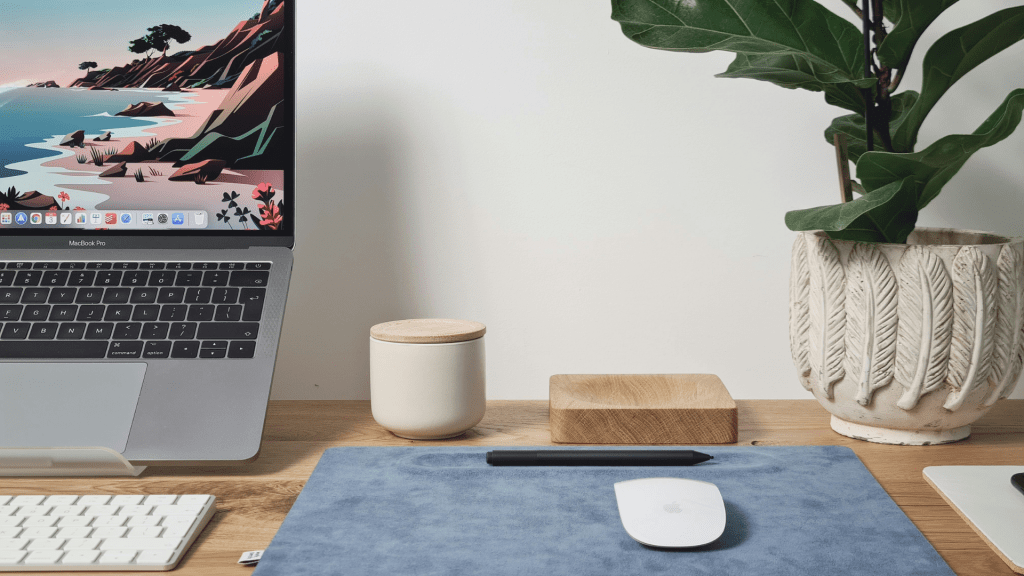
As much as I do love giving in and working from the sofa every now and again, when it comes to actual productivity, having a great work-from-home desk setup unfortunately does matter. Of course, you only really need a laptop and table (I worked from the dining table for years), but there are some particularly useful tools for your remote work setup that I do personally recommend.
1. Laptop Stand
First things first: get a laptop stand. Don’t worry about any of the super techy, expensive, or fancy ones, you literally just need something that lifts your laptop up to eye-level. This is the very first thing I ever bought for my wfh setup, and I still use the same basic metal one I bought on Amazon today.
One quick tip I will give is to choose a stand that is adjustable. This means you can get the perfect angle on any worktop or with any laptop. I also like to use mine as a phone stand when I’m on FaceTime, or an e-reader stand when I read, so the adjustability really comes in handy.
2. Bluetooth Mouse and Keyboard
Once you get your laptop stand, you’re going to want to graduate to a Bluetooth keyboard and mouse pretty quickly…or at least I did. It makes the whole setup a lot more comfortable and feels way more natural to use.
As I have a MacBook, I just went for Apple’s wireless keyboard and trackpad to make the setup as streamlined as possible. Also, in case you’re considering getting a trackpad for the first time, I definitely recommend one over a traditional mouse. It has a much more intuitive feel to use, and after being a trackpad user for years, I now find a mouse weirdly clunky and uncomfortable.
3. LED Lamp
The reason I’ve specified an LED lamp is because with most, you can adjust the light temperature and intensity. This is great for remote work as your lighting situation changes throughout the day (obviously), but also from location to location.
A good LED lamp doubles as a ring light for meetings, and triples as a SAD lamp for those shorter winter days when you’re really missing the sun. I recommend something like this one.
4. Walking Pad
I have raved about my walking pad for several years at this point. It is, without a doubt, my number one recommendation for anyone who works from home full-time. I’m currently away from mine for a couple of months, and I cannot even explain the hit my productivity has taken as a result.
A lot of people struggle to believe me, but using a walking pad whilst I work makes me easily double as focused and for longer. I lock into what I’m doing so much more easily (especially writing), PLUS it helps me get my steps in on busy days where I’m stuck at my desk for hours at a time.
Apps and Digital Tools for Remote Work
In this day and age, your digital toolbox can matter just as much as your physical one. Your personal software package will depend on your role and the type of work you do, but there are some things that I think can be beneficial to everyone. And don’t worry, I’ve also made sure to include the best free apps for freelancing and working from home.
5. A VPN
Listen, I know you’ve heard it all before, and you’re probably sick of all the endless VPN sponsorships and ads. But the reality is, you probably still need one. If you regularly work away from home and use public wifi (e.g. at cowork spaces, cafes, airports, etc), then you’re leaving yourself vulnerable to hackers. Or, if you’re working from abroad, you’re very likely to need a VPN to access things back at home.
I personally use NordVPN and do recommend it. I like that it works on multiple devices and is super easy and simple to set up. However, there are a ton of great options on the VPN market these days.
6. Freedom.to
Let’s be honest: focusing when you work remotely is tough at times. Sure, some days I am fully focused and productive, but there are also a lot of other days when concentration feels like the hardest thing in the world.
One thing I like to use to help in these times is Freedom.to. It’s a free app with a very simple (but highly effective) concept: it blocks any websites you shouldn’t be using during the day and automatically unblocks them outside of your work hours. In other words, it takes the possibility of distraction out of your hands.
7. FocusPomo
FocusPomo is another free app that works as a Pomodoro timer. This is a focus technique where you work for 25 minutes, take a 5-minute break, then repeat the process four more times. If you haven’t tried it, then you might not think it would do all that much, but somehow the focus method just works.
Of course, you can use any old timer for the Pomodoro method, but as FocusPomo is free and pre-made for the job, then why not give it a try?
8. ClickUp
Trust me, I’ve tried a lot of project management tools. Different software works for different purposes, but when all is said and done, ClickUp is the one I use the most. The main reason for this is that the calendar view is included in the free version, which I need to visually see my deadlines and progress.
With ClickUp, you get unlimited tasks and up to 60MB on the free plan. You can assign tasks to different people, add subtasks, leave comments, and even input detailed information like phone numbers and ratings.
9. Notion
I’ve compared the best writing platforms, and again, the one I go back to is always Notion (I’m writing this blog post on it in real time). There’s a bit of a learning curve, but once you suss the software out, it makes writing an absolute breeze.
There are lots of shortcuts, and you can also use it for project management if you want to (yes, there’s also a calendar view).
10. GoodNotes
There are few things as important as a notebook and pen for any sort of work…and yes, it’s hard to beat the real things. However, I personally like to use the GoodNotes app on my iPad with my Apple Pencil. This means I can easily take multiple different notebooks with me at all times, and edit/change/delete things as I go.

Tech Gadgets for Remote Work
Let’s talk tech. If I can be real for a minute, a whole lot of the tech gadgets for remote work that I see online are pretty much utterly unnecessary. Just because something is flashy, new, and (usually) expensive doesn’t mean they’re actually any good. So, what are the ones that are worth your money?
11. iPad
If you have the money and want to instantly upgrade your remote work setup, then I cannot recommend an iPad enough. It plays so many roles in my workflow, such as my digital notebook, a second screen, a place to edit digital assets, or an e-reader when I’m reviewing docs.
Obviously, this is a pricier tool, and as I have a fully Apple setup, I do love having my iPad to complete it. But, there are other (and cheaper) tablet options if you want something a bit more budget-friendly.
12. Noise-Cancelling Headphones
I have no idea how people in any situation work without these. Even when I worked in an office, I needed noise-cancelling headphones to really focus in, but now working remotely from public places (especially cafes), I just can’t go without them.
If you’ve read the other items in this list, it probably won’t be surprising that I use Apple AirPod Pros (and 10/10 recommend them). I actually am personally in the market for some over-ear noise-cancelling headphones, and hear good things about Bose.
13. Dock Station
Having a desk tool that charges your tools and organises your desk is a no-brainer. I like one that’s wireless and also works as a phone stand so that I can see messages that pop up/use my phone almost like a mini bonus screen. Something like this one is a good place to start.
The other reason I really like having a charging station is that it helps me have an extra reason not to pick up my phone and start scrolling. Something about having my phone plugged in (albeit wirelessly) and charging stops me from mindlessly opening it and finding myself procrastinating on social media.
14. Portable Hotspot
If you’re like me and like to work from places other than your home office as often as possible, then I highly, highly recommend looking into a portable wifi hotspot. I hate finding the perfect spot for remote work…only to discover the wifi is rubbish (or non-existent).
With a portable hotspot, this just isn’t an issue as you take your own wifi wherever you go. Plus, it means you avoid the cybersecurity risks of using public Wi-Fi.
Travel Tools for Remote Work
I like to take advantage of working remotely as often as possible by travelling and working from the road. Luckily, there are plenty of tools that exist to make exactly this work style smoother and easier. These are some to be aware of…
15. A Good Backpack
This is actually another thing I’m actively in the market for right now. As I’m hunting, I’ve put together a pretty specific list of criteria to find the perfect backpack for remote work:
- FITS MY LAPTOP (which shouldn’t be as difficult to find as it is)
- Has adjustable straps that are thick and supportive
- Is cute
- Has inner pockets for my keys, wallet, and charger
- Has a water bottle slot
- Feels secure enough that I would feel if it were to be unzipped
16. eSIM
If you’re travelling abroad, then an eSIM is standard practice these days. I’ve tried, honestly, so many different providers at this point, with this being my ultimate recommendation:
- Cheapest: BNESIM
- Best for unlimited data: Holafly
- Easiest to use: Airalo
17. Universal Travel Adapter
Do not bother with a million individual country plug adapters and go straight to a universal option that has micro-USB plugs, e.g. something like this. I know this is a quick and simple one, but listen, having one of these just makes life so much easier.
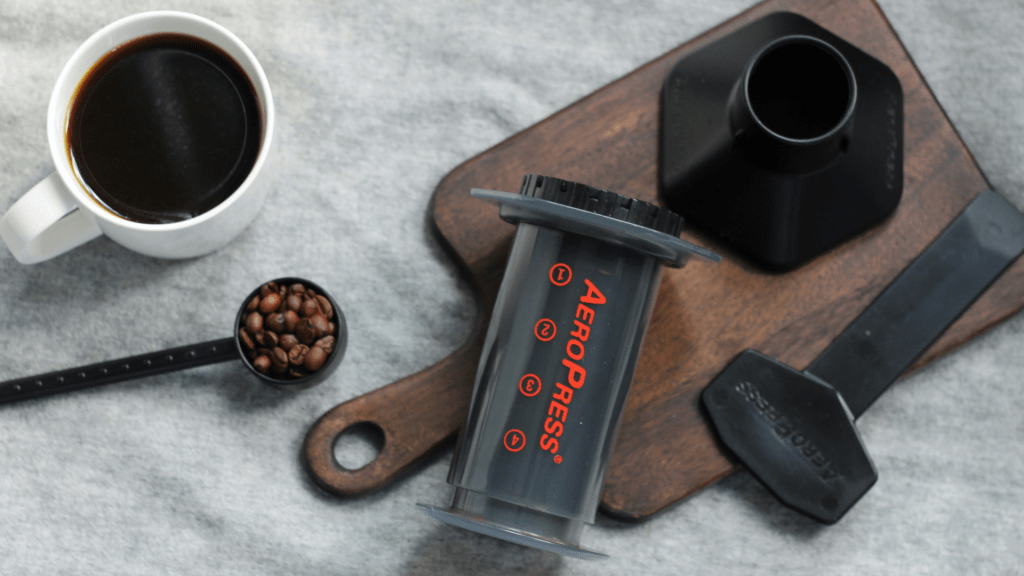
18. AeroPress
This probably only applies to coffee lovers, but as someone whose work day can be totally derailed by a bad cup of coffee, I had to put an AeroPress on this list. Simply put, I do not trust hotels, AirBnBs, or (let’s be honest) my friends’ coffee brewers to be up to scratch. So I always travel with my AeroPress.
It’s lightweight, manual, and makes great coffee. What’s not to love?
Ergonomic Tools for Remote Work
Yes, I know the word ergonomic sounds boring. However, unfortunately, your posture does matter. If you have the ability to make your work setup that little bit more back, shoulder, and body-friendly, then it’s probably worth doing.
19. Wrist Rest
These are cheap and literally so simple, but they do make a big difference, especially for someone like me who is a writer. I am typing for hours at a time, and a wrist rest does make a difference at the end of the day. They also come in all sorts of designs, so one could even upgrade the whole vibe of your desk setup aesthetically.
20. Office Chair
Again, it’s a boring thing, but if you’re going to invest in something, it probably should be your office chair. Having a high-quality and ergonomic desk chair is important for your posture, your long-term health, and also your productivity. If you feel comfortable and sitting up in your chair, you’re just more likely to want to sit in it and work.
21. Posture Pal
If you haven’t heard of a posture pal, then I’m about to open up your whole world. I think they originate from Japan (where I’ve been living for the past few years), and are cute little stuffed animal toys that sit on your lap and help you have good posture.
You can get them on Amazon, but if you’re planning a Japan trip, I 100% recommend picking one up as they’re so so much cheaper there.
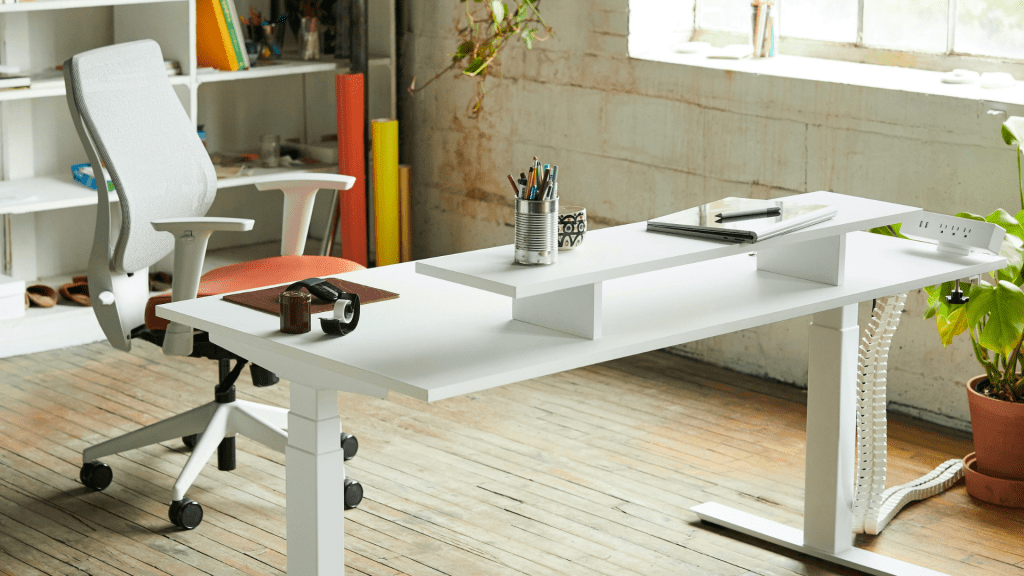
22. Standing Desk
I couldn’t make this list without mentioning a standing desk, but I’m sure there’s not much more to say about them than you know already. Standing throughout the day is a huge positive to your health and wellbeing, plus you need a standing desk in order to use my favourite tool of all time, a walking pad.
That being said, I used my kitchen table for years as my standing desk. It was the right height for me to stand and use my walking pad at, and didn’t mean I had to spend hundreds (or thousands) of pounds on an actual standing desk.
How to Work From Anywhere
Working remotely successfully requires a lot more than just the best tools. Luckily, I have shared all sorts of resources on this blog to help you with that journey. Start by taking a look at the posts below…






Leave a comment